

Views: 25 Author: Prince Lee Publish Time: 06-11-2026 Origin: gstartec


Content Menu
>> The Evolution of Desktop Hardware: Why Materials Matter
>>> Why Aluminum Alloy Outperforms Plastic
>> The Anatomy of a Perfect Magnetic Tablet Desk Mount
>> Solving Professional Pain Points: An Expert's Engineering Breakdown
>>> 1. The Stability vs. Interaction Dilemma
>>> 2. The Ergonomic "Cervical Strain"
>>> 3. The Portability Constraint
>> Optimizing Your Workflow: A Pro-User Guide for 2026
>> Industry Insights: Why Manufacturers Focus on Anodized Finishes
>> Common Myths About Magnetic Stands
>> Frequently Asked Questions (FAQ)
>> References & Further Reading
>> Elevate Your Productivity with Gstartec
In the hyper-connected professional landscape of 2026, the modern workspace is no longer confined to a traditional office desk. Whether you are a creative director sketching on an iPad Pro, a financial analyst monitoring markets via tablet, or a nomadic entrepreneur working from a local café, the tools you use to interact with your hardware are as critical as the hardware itself.
As a specialized manufacturer with over 13 years of precision metal engineering and EDC (Everyday Carry) expertise, we at Gstartec Co., Ltd. have watched the transition from bulky laptops to lean, powerful tablets. In our production facilities, we recognize a fundamental shift: professionals are no longer looking for "add-ons"—they are seeking performance-driven infrastructure. A high-quality magnetic aluminum alloy tablet stand is now the essential pillar of an efficient, ergonomic, and aesthetic workstation.
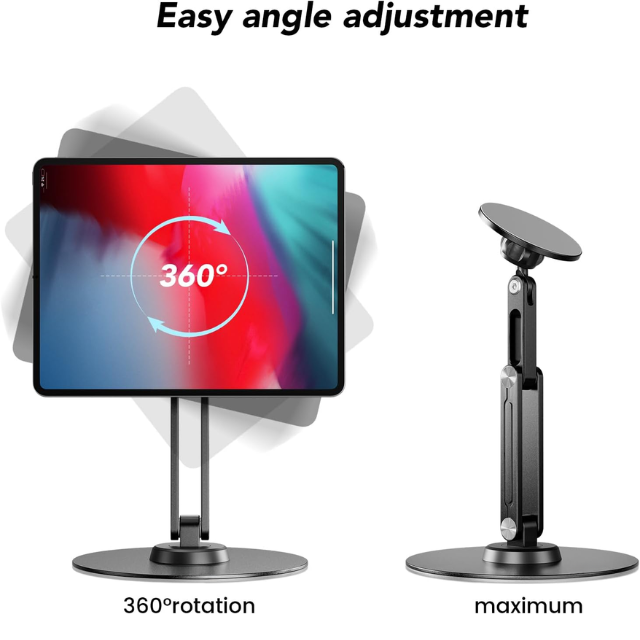
This comprehensive guide delves into why the 360° rotatable & 180° adjustable foldable desk mount has become the gold standard, and how selecting the right engineering can redefine your daily output.
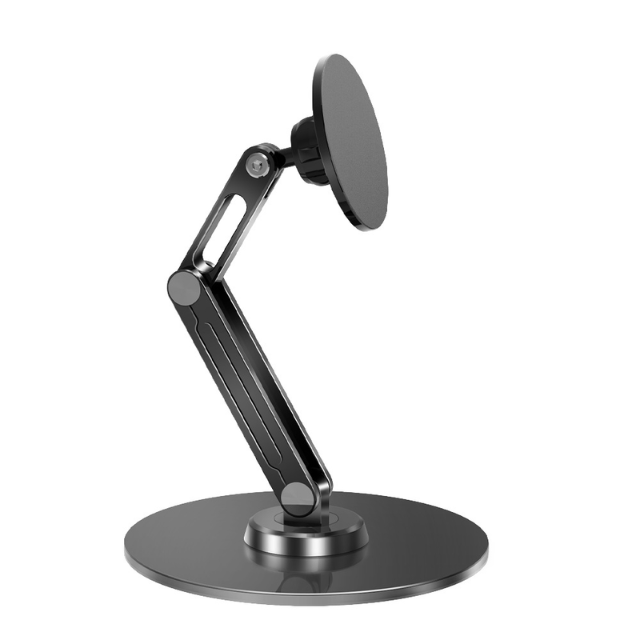
To understand the value of an aluminum alloy tablet stand, one must look beyond the surface finish. In the precision manufacturing world, materials define longevity. At Gstartec, we prioritize structural integrity through specific alloy compositions—typically 6061-T6 aluminum—which provides a balance between lightweight portability and industrial-grade strength.
Many off-the-shelf stands utilize polycarbonate or ABS plastic to reduce costs. While affordable, these materials suffer from two major flaws:
1. Thermal Retention: Plastic acts as an insulator. During intensive workflows, such as rendering 4K video or running complex design software, your tablet generates significant heat. Aluminum, conversely, acts as a passive heat sink, drawing thermal energy away from the device's chassis to prevent thermal throttling.
2. Structural Fatigue: The "hinge-fatigue" problem is real. Plastic hinges lose tension after a few months of daily folding and unfolding. An aluminum alloy desk mount features CNC-machined pivot points that maintain a consistent friction coefficient, ensuring the stand remains just as stable in its third year of use as it was on day one.
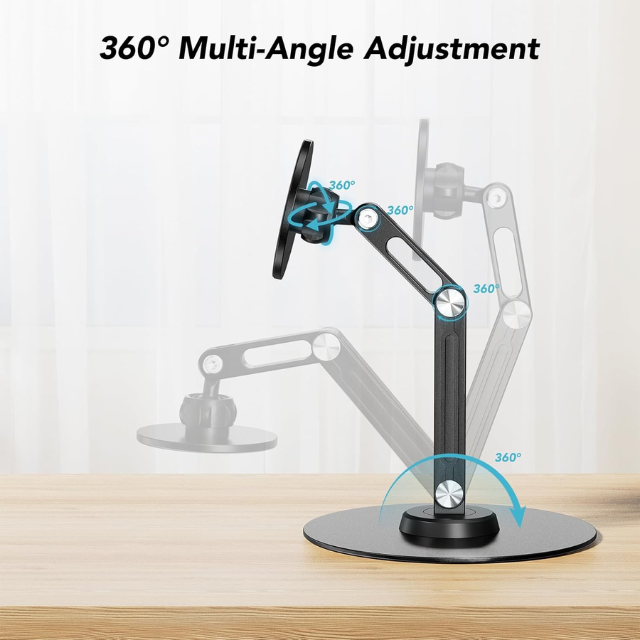
The transition to magnetic mounting has been one of the most significant upgrades in the peripheral industry. The traditional "cradle" design—which grips a tablet from the bottom—often obstructs the charging port, masks screen bezels, and makes the device feel trapped.
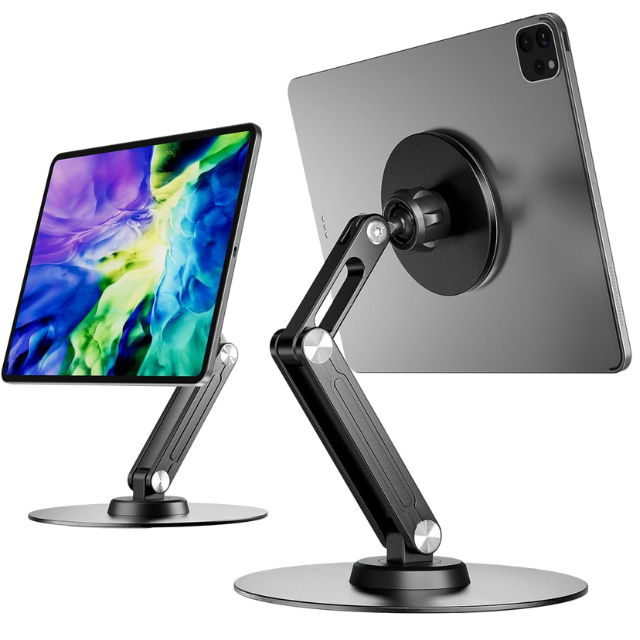
By utilizing a magnetic desk mount, the tablet appears to "float" above the desk surface. This is achieved through an array of high-grade neodymium magnets aligned with the internal magnetic matrix of your device (such as the MagSafe or magnetic smart-connector systems found in modern iPads).
- Precision Alignment: Because the magnet holds the device in place, you are not fighting against physical clips. You simply snap the device on and off.
- Zero-Obstruction Design: The screen remains edge-to-edge accessible, which is vital for artists using a stylus and reaching the corners of the display.
Through years of manufacturing and analyzing user feedback, Gstartec has identified three specific technical pain points that plague lower-tier tablet stands. We solve these through meticulous design engineering.
The Pain Point: Users report that when they draw or type on their tablets, the stand "bounces" or gradually dips under the pressure.
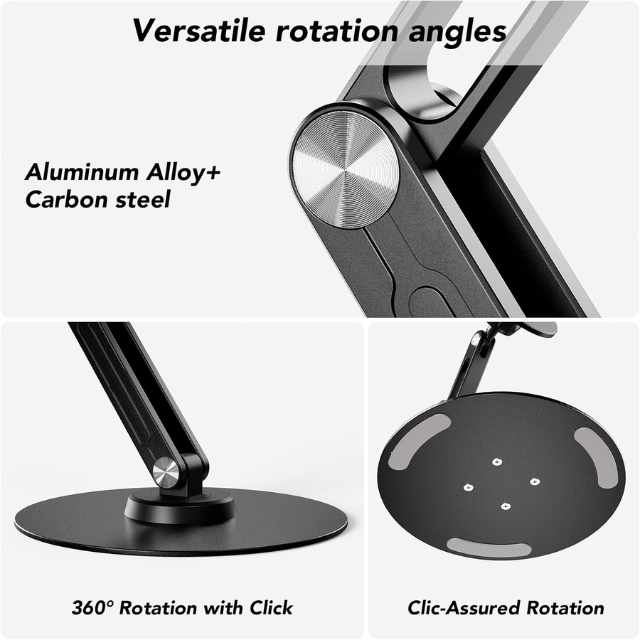
The Expert Solution: This is a failure of hinge tension. Our design philosophy incorporates a dual-rod, friction-locked hinge system. By using precision-milled aluminum washers within the hinge, we create a high-friction environment that locks the stand in place once your desired angle is set. When shopping for these products, always look for "High-Torque Tension Hinges" as a key spec indicator.
The Pain Point: Looking down at a flat tablet causes "Tech Neck," leading to chronic muscle fatigue.
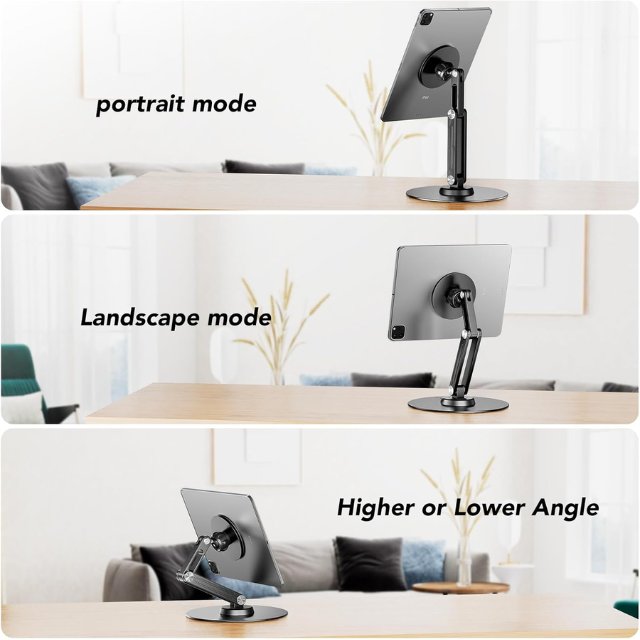
The Expert Solution: The 180° adjustable nature of the vertical support is an ergonomic necessity, not a luxury. By adjusting the vertical column, you bring the tablet screen to eye level. This aligns your cervical spine in a neutral position, which is essential for 8-hour workdays. When testing your stand, ensure that the hinge supports the tablet's weight at the maximum height without sliding.
The Pain Point: Professionals move between home, office, and travel environments. A heavy, non-foldable stand is a burden.
The Expert Solution: The foldable desk mount is the answer for the mobile professional. An ideal stand should fold down into a profile thinner than a standard smartphone, allowing it to slide into a laptop bag or a tech pouch alongside your EDC gear. We achieve this by using a flat-pack architectural design where the base, the vertical rod, and the magnetic head collapse into a single monolithic unit.
If you have already invested in a 360° rotatable tablet stand, you are likely only using 50% of its potential. Here is how to integrate it into a high-performance workflow:
- The "Portrait-to-Landscape" Workflow: The 360° rotation is a game-changer for multitasking. When reviewing long-form documents or browsing code, lock your tablet into Portrait mode. When moving into a video call or a collaborative editing session, a quick flick rotates the device into Landscape mode without you needing to detach the device from the magnet.
- Digital Canvas Synergy: If you are a designer, set the stand to its lowest height, and tilt the tablet head at a 15-degree angle. This mimics the angle of a traditional drafting table, significantly reducing wrist fatigue when using a stylus for long periods.
- The "Sidecar" Configuration: Place your magnetic stand directly adjacent to your primary desktop monitor. By bringing the tablet to the same vertical plane as your monitor, you eliminate the constant refocusing of your eyes, which reduces cognitive load and visual fatigue over an 8-hour workday.
In our factory, we spend significant time on "Anodized Surface Treatment." Beyond aesthetics, this process hardens the outer layer of the aluminum alloy.
1. Scratch Resistance: Your desk is a high-traffic area. Anodized aluminum is incredibly resistant to surface scratches, ensuring your professional setup maintains its premium look for years.
2. Corrosion Resistance: For those working in humid environments or near coastal areas, anodizing provides a protective barrier against oxidation, ensuring the hinges remain smooth and rust-free.
3. Visual Professionalism: In a corporate setting, hardware choices reflect your personal brand. Matte grey or Space Black anodized stands communicate a sense of intentionality and discipline, which stands in stark contrast to the clutter of plastic accessories.
Myth: "The magnets will wipe my tablet's memory or damage the screen."
Expert Reality: This is a carry-over fear from the CRT-monitor era of the 1990s. Modern tablets utilize solid-state flash memory, which is completely immune to the magnetic fields used in mounting solutions. The magnets are contained within a shielded housing that focuses the force outward toward the metal plate, ensuring zero interference with internal components.
Myth: "A stand is just a stand; they are all the same."
Expert Reality: The difference lies in the tolerance. A high-end stand is CNC-machined to 0.01mm tolerances. This means the hinges don't rattle, the magnetic faceplate doesn't wiggle, and the entire unit feels solid. You aren't just buying a piece of metal; you are buying the stability of your $1,000+ tablet.
Q1: Will the magnets in the stand damage my tablet or affect my Apple Pencil Pro?
A1: No. Our magnetic mounts use engineered magnetic shielding that directs the flux toward the tablet's metal plate. It does not interfere with the tablet's internal components, and the Apple Pencil Pro is designed to function perfectly alongside such magnetic accessories.
Q2: How do I know if this stand will be compatible with my specific tablet model?
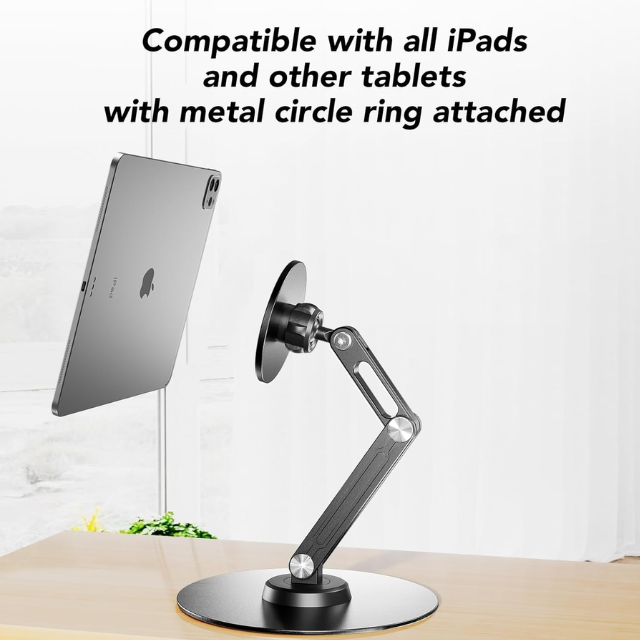
A2: Most modern magnetic stands are designed for the "magnetic ecosystem." If your tablet does not have a native magnetic back, a simple magnetic ring sticker—which comes standard with many kits—can be applied to your existing case to grant instant compatibility.
Q3: Can I use this stand for high-intensity drawing with a stylus?
A3: Yes. For high-pressure drawing, ensure the stand has a "tension-locking" feature. This is an extra screw or a high-friction internal pivot designed specifically to hold the stand's angle even when significant downward force is applied by the artist.
Q4: Is aluminum alloy significantly better than plastic for a tablet stand?
A4: Yes, on three fronts: structural integrity, thermal dissipation, and aesthetic durability. Plastic is prone to warping and hinge fatigue, whereas aluminum stands maintain their structural tension for thousands of usage cycles.
Q5: What is the benefit of a "Foldable" design compared to a fixed desk mount?
A5: The foldable design provides freedom. A fixed stand locks you into one workspace. A foldable stand allows you to take your ergonomic workstation with you, turning any table into a productive office.
* [GSTARTEC: Our Philosophy on Precision Engineering](https://www.gstartec.com/my-new-favorite-edc-tool-the-smart-compact-key-organizer-with-compass.html)
* [Ergonomic Science: Why Adjustable Viewing Angles Matter](https://www.esrtech.com/blogs/beginner-guides/desks-ipads-work-from-home-essentials)
* [The Role of Aluminum in Modern Tech Accessories](https://xometry.pro/en/articles/complete-guide-to-cnc)
* [Magnetic Mounting Systems: Safety and Functionality](https://www.zugucase.com/blogs/news/benefits-of-ipad-stands)
* [Future Trends in Desktop Productivity for 2026](https://www.cnet.com/tech/mobile/best-iphone-17-cases-for-2026)
Your desk is the battlefield where your best ideas are formed. Don't compromise on the infrastructure that holds those ideas together. At Gstartec Co., Ltd., we combine 13 years of precision engineering with a minimalist design aesthetic to create products that work as hard as you do.
From the tactile feel of our aluminum finishes to the silence of our rotating hinges, we build quality you can feel. Whether you are a corporate buyer looking for reliable supplies, a brand owner seeking OEM/ODM excellence, or a professional upgrading your home office, we are here to provide the hardware that moves your work forward.


